


Phone GPS Tracker
3.856.00 Reviews
App Specs
- Version
- 1.7.1.0
- Updated On
- License
- Free
- Downloads
- 5,000,000+
- Developer
- nd5star
- Categories
- Maps & Navigation
- Platform
- Android
Screenshots
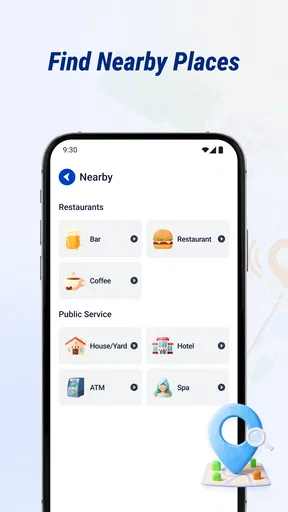
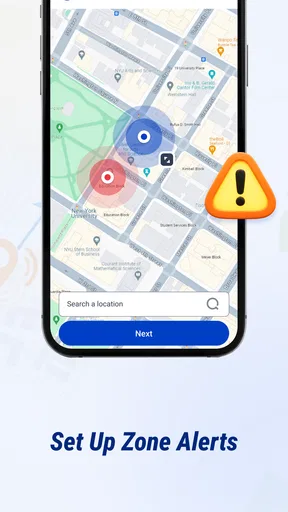
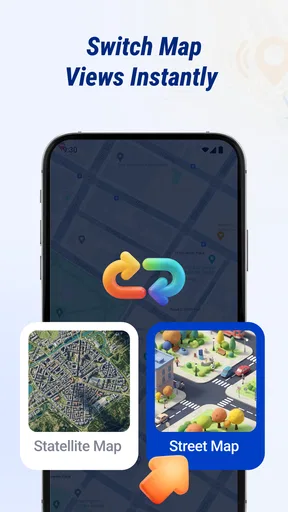
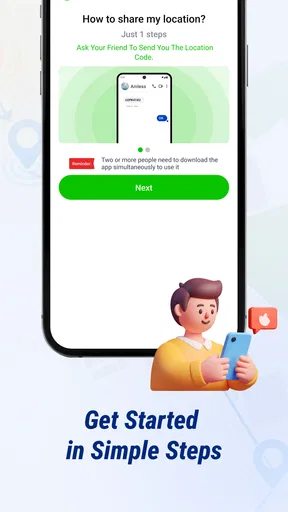
 Analysis by AppCompare
Location sharing sounds simple until the person you are trying to find is underground, has a weak signal, or has forgotten to keep their phone charged. That is why I judge a family locator less by the promise of a dot on a map than by how useful that dot is in everyday situations—and how clearly its limits show up. Phone GPS Tracker is aimed at people who want a shared view of where family members’ phones are, with a real-time focus rather than turn-by-turn navigation.
My first impression is that this is best approached as a coordination tool, not a substitute for calling someone or checking in directly. Its usefulness depends on the phone being able to determine and share its location, and on the connection needed to send that update. When those pieces are working, a map can answer a practical question quickly. When they are not, a location may be delayed or less helpful than expected.
When the network makes the map useful
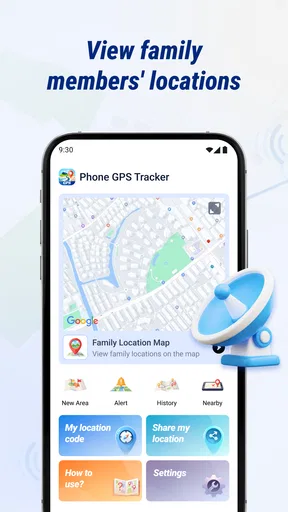
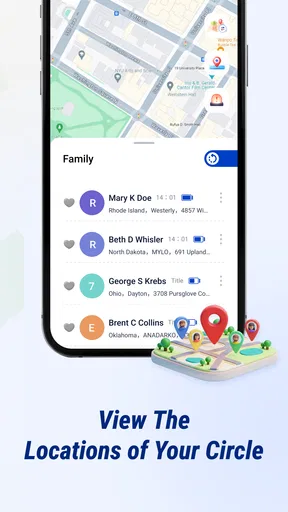
Phone GPS Tracker is a free Maps & Navigation app from nd5star. Its central appeal is straightforward: family members can share location information so others can check where their phones are. That can be reassuring when a household is coordinating pickups, meeting in a busy place, or waiting for someone who is travelling. The app’s value is not that it replaces conversation; it is that it can reduce the number of small “Where are you now?” messages.
Real-time sharing is especially useful when plans are moving. Imagine I am collecting a relative after an appointment and traffic makes the arrival time uncertain. A current location can help me decide whether to leave now or wait a little longer. But I would still send a message if the timing mattered: map information is only as current as the phone’s ability to update and transmit it. A location view should be treated as a helpful indication, not a guarantee that someone is exactly at a particular point at that instant.
That distinction matters in places with poor reception. A phone may know where it is while struggling to send that information, so the person looking at the map could see an older position. Buildings, transit routes, and crowded areas can all complicate location-based coordination. I would check when an update was made if the app presents that information, and I would avoid interpreting a stationary marker as proof that someone has stopped or is in trouble.
The same caution applies when a family member’s phone is offline, switched off, or out of battery. A locator cannot make an unreachable phone report its position. In that situation, the sensible fallback is the ordinary one: call or message when possible, agree on a meeting point in advance, and do not rely on the map as the only safety plan. That is not a special flaw of this app so much as a basic limitation of phone-based location sharing.
Everyday routines, not just emergencies
I can see the app fitting into recurring routines better than one-off tracking. For example, a parent waiting at home may want to check whether a teenager’s phone is on the way back, while a family member arranging a shared pickup may want a quick sense of everyone’s progress. Used this way, location sharing can prevent unnecessary calls without turning every trip into a live check-in.
Worth Reading Before You Choose

Flipboard Shows What News Apps Must Do Beyond the Feed

Switching to Android Auto Means Rethinking Your Driving Routine

Google Calendar Makes a Crowded Week Easier to Manage

Ludo King Makes the Most of the Minutes Between Plans

Baby Panda World Brings Quick Play to Modern Phones, but Its Game Library Feels Busy

ESPN’s Live Game View Makes Following Close Games Easier
A useful habit is to agree on when location checks are appropriate before anyone installs a tracker. Families can decide whether they will look only during a journey or use sharing more broadly, and they can talk about what an unexpected gap in updates means. That conversation prevents a map from becoming a source of needless worry. It also makes clear that a shared location is not consent to monitor every movement without discussion.
For a meetup in a crowded public place, I would use the map to narrow down the other person’s general position, then switch to a clear landmark or a direct message for the final few metres. GPS positions are not always precise enough to distinguish entrances, floors, or the correct side of a large building. A café name, station exit, or agreed meeting point is often more dependable than repeatedly refreshing a map.
Moving between Wi-Fi and mobile coverage
Phone GPS Tracker is most naturally suited to people carrying their phones through ordinary connected journeys. At home or work, Wi-Fi may provide a connection; outside, location updates may depend on mobile connectivity. Changing networks can interrupt or delay what another person sees, so I would not assume that a location will refresh at the same pace in every setting.
This is worth considering for families whose routines include basements, large buildings, rural roads, or long stretches with patchy reception. If someone is expected to pass through a weak-coverage area, agreeing on a check-in point or a time to send a message is more robust than watching the map continuously. The app can complement that plan, but it should not be the whole plan.
There is also a practical difference between “I can see a location” and “I know the person is safe.” A marker cannot explain why someone has stopped, whether they have changed plans, or whether the phone is simply having trouble connecting. In my view, the best use is calm coordination: check the map when it answers a real question, and contact the person when the answer needs context.
What to do when a location looks wrong
If a family member seems to be in the wrong place, I would first check whether the position appears old or whether the phone may have lost connectivity. Then I would contact them rather than repeatedly refreshing and treating the map as definitive. A delayed update can look alarming even when the person’s trip is entirely normal.
Before relying on the app for an important pickup, try it during an ordinary journey when nobody is under pressure. That gives everyone a chance to see how location sharing behaves on their own phones and in familiar parts of town. It is also a good moment to confirm that each person understands how to participate in sharing and what they are comfortable making visible.
If updates stop, the recovery steps should be simple: check whether the phone is powered on, whether it can connect, and whether the person can respond through another channel. If the phone is unavailable, switch to the agreed backup plan. I would not keep assuming that a blank or stale map will resolve the situation quickly; connectivity and battery limitations can persist until the phone is usable again.
Privacy and data-conscious habits
Location is sensitive, so I would use this app only with people who understand and agree to share their whereabouts. The most useful family arrangement is one where everyone knows who can see a location and why. For children, that should still be an age-appropriate conversation rather than a silent installation. For adults, sharing should be voluntary and easy to discuss.
To keep location use purposeful, I would make a household rule such as checking during a pickup window or a journey, rather than opening the map out of habit. That reduces unnecessary monitoring and helps prevent a momentary network delay from becoming a recurring source of anxiety. It is also sensible to review the phone’s location and connectivity settings and to consider how much battery use is acceptable for the people sharing.
I would not install a family locator on someone else’s phone without their knowledge. Nor would I use it to settle disagreements about where someone “should” be. The technology can support practical coordination, but trust and direct communication matter more. If the family’s main concern is an emergency, the app should sit alongside a plan for contacting local help and reaching one another—not replace it.
How it compares with other ways to coordinate
Compared with calling or texting, a shared map can save time when several people are moving and nobody needs a long conversation. Compared with general map apps, its purpose is family location sharing rather than finding a route or navigating to a destination. If what I need is turn-by-turn directions, a dedicated navigation app is the better fit. If I only need to meet one person once, a direct message with a landmark may be simpler.
Some phone platforms also offer built-in location-sharing tools. Those may be more convenient for people who already use the same ecosystem, while a separate tracker can make sense for a household that wants a dedicated app. I would compare the setup and sharing controls on the actual phones involved before asking everyone to adopt it. The best choice is the one all participants can understand and use willingly, not necessarily the one with the most visible map.
Phone GPS Tracker has a 3.8 average from around 20,000 ratings, and it has been installed over 5 million times. Those figures suggest that many people have tried it, but they do not tell me whether it will suit a particular family’s coverage, devices, or privacy expectations. I would treat them as context, not as a reason to trust every location update without checking.
Who I would recommend it to
I would consider it for families who regularly coordinate arrivals and pickups and are comfortable sharing phone locations with one another. It is a better match for routine reassurance and practical meetups than for someone who expects a tracker to provide uninterrupted, exact monitoring. People who mainly need navigation, dislike location sharing, or cannot count on their phones having a connection may be happier with another approach.
The app is rated for Everyone, and its current version is 1.7.1.0, with Android 7.0 as the minimum operating system. It is free, which makes it easy to try, but I would still check that the phones in the family meet the system requirement and that everyone is comfortable with the app’s use on their device. The developer is nd5star.
Making a shared routine work
One detail I would settle before using the app is who is expected to look at the map and at what point in a journey. If several relatives all check independently, a small delay can prompt multiple calls and create more confusion rather than less. A simple arrangement—one person checks during the pickup window, then messages if the plan needs attention—keeps the map useful without making it the centre of the trip.
It also helps to test the routine with different phone habits. Someone who often leaves a phone in a bag may not notice a message quickly, while another person may keep their device close but travel through places with unreliable coverage. The map can show a useful position without guaranteeing that the person can receive a request or reply. For time-sensitive plans, I would agree on the meeting place and a fallback contact method before anyone sets off.
For example, if I am meeting relatives after an event, I would use the shared view to see whether they are still approaching, but I would choose a specific exit as the rendezvous point. If the crowd or signal makes the map confusing, the agreed landmark gives us something concrete to work with. That is a small adjustment, but it avoids the common trap of expecting a moving marker to guide people precisely through a busy venue.
Choosing the right level of sharing
Not every household needs everyone to share all the time. A family may get more value from using a locator during school pickups, evening journeys, or days when plans are changing, then relying on ordinary calls at other times. The point is to match sharing to a real coordination need. If the app becomes a reason to monitor routine movements without a clear purpose, it is worth reconsidering whether it is helping.
I would also distinguish between a location-sharing app and a dedicated safety arrangement. A map can help someone decide where to meet or whether a person is still on the way, but it cannot provide the context of a conversation or guarantee contact in an emergency. Families who need dependable reassurance should agree on who to call, where to meet, and what to do if a phone cannot connect. Those decisions remain valuable whether or not the app is installed.
For households already using a built-in location tool across their phones, switching to a separate app may add another setup step without solving a real problem. On the other hand, if a dedicated family locator is easier for everyone to understand and use, that convenience can outweigh having fewer apps. I would make the decision based on the people involved and their usual routines, rather than assuming a separate tracker is automatically more capable.
My connectivity verdict
Phone GPS Tracker makes the most sense as a low-friction way to answer everyday location questions when the phones and network cooperate. I like the practical idea of checking progress without interrupting someone mid-journey, but I would not treat the map as a live guarantee or a safety system on its own. Connectivity gaps, battery problems, and imprecise positions are real trade-offs for any phone-based locator.
My recommendation is to try it as a shared convenience, with clear consent and a backup way to communicate. Test it on a normal trip, agree on when location checks are useful, and use a call or message whenever the map leaves room for doubt. If your household wants simple coordination and understands those limits, it may be a helpful addition; if you need dependable navigation or constant certainty, a different tool and a direct plan will serve you better.
Pros
- Can help locate a misplaced phone when location sharing is set up beforehand.
- Useful for coordinating meetups with family or friends.
- Map-based location updates are easy to understand.
- Location sharing can provide peace of mind during trips.
- May help users check a loved one’s shared whereabouts remotely.
Cons
- Accurate tracking depends on GPS access and a reliable internet connection.
- Continuous location access can drain the phone’s battery.
- Location sharing requires consent and careful privacy settings.
- Indoor or obstructed areas may produce inaccurate location updates.
- The other phone may need the app installed and configured to be tracked.
FAQs for Phone GPS Tracker
What does Phone GPS Tracker do?
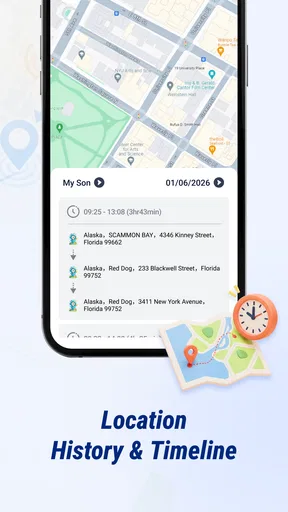
Phone GPS Tracker is designed to help users view a phone’s location on a map, typically by using the device’s GPS and an internet connection. Depending on the specific app and its features, it may also offer location sharing, saved places, or location history. Check the app listing carefully: similarly named apps can come from different developers and may provide different tools.
Does Phone GPS Tracker need GPS and internet access to work?
Usually, yes. Location tracking relies on the phone’s location services, while an internet connection is generally needed to send or display location information on a map. Accuracy can vary indoors, in areas with weak satellite reception, or when battery-saving settings restrict background activity. Before downloading, review the app’s permissions and test its location updates in the conditions where you plan to use it.
Can I use Phone GPS Tracker to locate someone else’s phone?
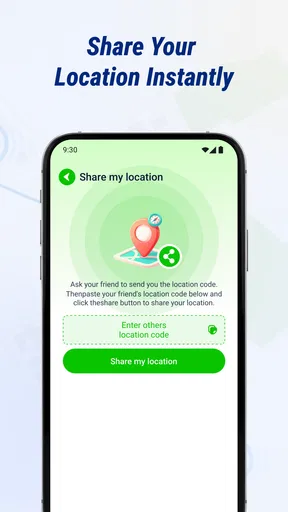
A tracking app should be used only with the device owner’s knowledge and permission. In most legitimate location-sharing setups, the other person must install or configure the app and agree to share their location. Do not use tracking to monitor someone secretly; that may violate their privacy or local laws. Check the app’s sharing controls and make sure everyone involved understands when location data is visible.
Is Phone GPS Tracker free, and are there in-app purchases?
Pricing depends on the particular Phone GPS Tracker app and the version available in your app store. Some apps are free to install but limit features, show advertisements, or offer subscriptions and one-time purchases for additional functions. Review the store listing, subscription terms, and trial details before signing up. If you start a trial, note its renewal date and cancellation instructions to avoid unexpected charges.
Is Phone GPS Tracker safe, and what should I check before downloading?
Because a location tracker can access sensitive data, check the developer, recent reviews, privacy policy, and requested permissions before installing. Confirm how location information is collected, stored, shared, and deleted, and avoid granting access that seems unrelated to the app’s purpose. Download only from an official app store, keep your device updated, and use a strong account password if the app requires one.


